
How to Verify a SHA-256 Fingerprint on Solana: 2026 Guide
TL;DR
“Verifying a SHA-256 fingerprint on Solana” means two different things depending on context. The most common developer need is verifying that a deployed Solana program’s on-chain binary matches its published source code through reproducible, verified builds. The second use case involves verifying a SHA-256 hash stored in a Solana transaction (typically via the Memo program) to confirm data integrity for a file, encrypted package, or message. This guide covers both in depth, with practical tooling, CLI commands, and code for each approach.
Two Meanings of “SHA-256 Fingerprint on Solana”
Before going further, it helps to separate the two contexts where SHA-256 verification matters on Solana.
Verified program builds. You want to confirm that the program binary deployed at a given Solana program address was compiled from specific, auditable source code. This is the dominant developer use case. Solana’s verified builds infrastructure, the solana-verify CLI, and explorers like SolanaFM and Solscan all support this workflow.
Application-level data fingerprints. A service or application computes a SHA-256 hash of some data (a file, an encrypted capsule, a document) and records that hash on-chain in a Memo transaction. Recipients later recompute the hash locally and compare it against the on-chain value to confirm nothing was tampered with.
Both rely on the same cryptographic primitive. SHA-256 takes any input and produces a fixed 256-bit digest, displayed as 64 hexadecimal characters. Change one bit of input, and the output changes completely. The algorithm is one-way: you cannot reverse a hash to recover original data. NIST defines it as a tool for detecting whether messages have changed since the digest was generated.
The verification steps differ significantly between these two use cases. This guide covers both.
Verifying a Deployed Solana Program Binary
This is what most developers searching for SHA-256 fingerprint verification on Solana actually need. When you interact with a Solana program, you’re trusting that the on-chain bytecode does what its authors claim. Verified builds let you check that trust independently.
How Solana Verified Builds Work
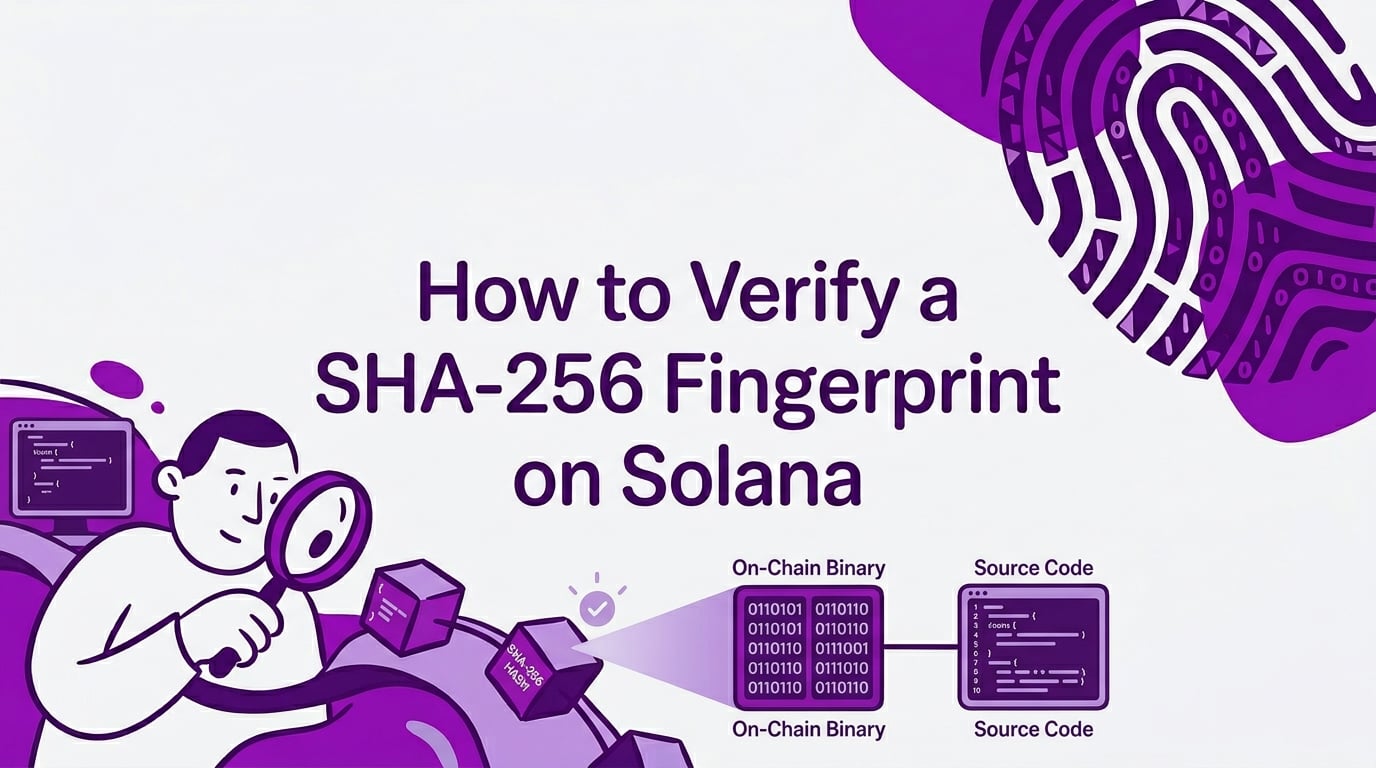
Solana’s verified builds system uses Docker-based reproducible build environments. The idea is straightforward: if you compile the same source code with the same compiler version, target, and flags inside an identical container, you should get an identical binary. The SHA-256 hash of that binary becomes the fingerprint you compare against what’s actually deployed on-chain.
The Solana Foundation maintains the solana-verify CLI tool and a public Verified Builds Registry. Programs that pass verification get a checkmark on explorers like SolanaFM, Solscan, and Solana Explorer.
Step-by-Step: Verify a Program with solana-verify
Install the CLI:
cargo install solana-verify
This requires a working Rust toolchain. If you don’t have one, install it via rustup.
Verify against the public registry:
The simplest path is checking whether a program has already been verified and recorded in the Osec Verified Builds Registry:
solana-verify get-program-hash <PROGRAM_ID>
This fetches the on-chain program binary, computes its SHA-256 hash, and displays it. You can then compare it against a known-good hash, or check the registry directly:
solana-verify verify-from-repo \
  --program-id <PROGRAM_ID> \
  https://github.com/<OWNER>/<REPO>
This command clones the source repository, builds it inside a Docker container matching the program’s declared build environment, computes the SHA-256 hash of the resulting binary, and compares it to the hash of the deployed on-chain program.
What a match means: The deployed bytecode was produced from that exact source code with those exact build parameters. No hidden modifications, no backdoors injected after compilation.
What a match does not mean: The source code itself is bug-free or safe. Verification confirms build integrity, not code quality.
Practitioners’ Experience with Verified Builds
Discussions on Solana Stack Exchange highlight a common stumbling point. One developer hashed a local build file and compared it against the output of solana account, getting a mismatch. The answer revealed that the command output was base64-encoded rather than raw bytes, meaning the developer was comparing two different representations of the data. This is a frequent source of confusion: you must hash the raw binary, not a serialized or encoded version of it.
Practitioners on Reddit report that even with Docker-based builds, subtle differences in dependency resolution or Rust compiler versions can cause hash mismatches. The solana-verify tooling pins these variables, but if you’re doing manual comparison outside the tool, you need to match the build environment exactly.
Manually Comparing Program Hashes
If you want to verify without the solana-verify CLI, the process looks like this:
Dump the on-chain program binary:
solana program dump <PROGRAM_ID> program.so
Compute its SHA-256 hash:
sha256sum program.so
Build from source in the same Docker environment the program author used, then hash the resulting .so file and compare. The hashes must match character for character (all 64 hex characters, case-insensitive).
This manual approach is more error-prone because you need to replicate the exact build environment. The solana-verify CLI automates all of this.
Checking Verified Status on Explorers
Most Solana block explorers now surface verification status directly:
- SolanaFM shows a green verified badge on program pages when the build has been verified through the Osec registry.
- Solscan displays verification status in the program’s account detail view.
- Solana Explorer links to verification details when available.
If you’re a user (not a developer) checking whether a program you interact with has been verified, these explorer badges are the fastest path. Click through to see the source repository, build parameters, and hash comparison.
Verifying a SHA-256 Fingerprint in a Solana Memo Transaction
The second use case involves application-level hashes. A service computes a SHA-256 hash of some data and writes it to a Solana transaction using the Memo program. This creates a timestamped, tamper-evident record that anyone can check.
This pattern shows up in document timestamping services, encrypted messaging apps, supply chain attestations, and anywhere an application needs public proof that specific data existed at a specific time.
Step 1: Get the Original Data
You need the exact item that was hashed. This could be a file, an encrypted data package, a canonical text string, or a displayed fingerprint value. “Exact” is the operative word. If even one byte differs from what was originally hashed, verification fails.
For applications where content is encrypted before hashing, the fingerprint typically covers the ciphertext, not the plaintext. The application should document what was hashed and provide access to that exact data.
Step 2: Compute the SHA-256 Hash Locally
Use a trusted tool on your own machine.
Linux:
sha256sum data-file.bin
GNU sha256sum prints a 256-bit checksum followed by the filename.
macOS:
shasum -a 256 data-file.bin
Windows (PowerShell):
certutil -hashfile data-file.bin SHA256
Microsoft’s certutil documentation lists SHA256 among supported algorithms.
Python:
import hashlib
from pathlib import Path

data = Path("data-file.bin").read_bytes()
print(hashlib.sha256(data).hexdigest())
Python’s hashlib module supports SHA-256 natively.
Node.js:
const { createHash } = require('node:crypto');
const { readFileSync } = require('node:fs');

const data = readFileSync('data-file.bin');
console.log(createHash('sha256').update(data).digest('hex'));
Node’s crypto module provides createHash('sha256') for this.
Record the 64-character hex output.
Step 3: Look Up the Solana Transaction
You need the transaction signature (a base-58 string). The service that recorded the fingerprint should provide it.
Open a Solana explorer (Solana Explorer, Solscan, or SolanaFM) and paste the signature. Confirm you’re on the correct cluster, usually Mainnet for production records.
Check the commitment level. Solana’s RPC documentation defines three levels:
- Processed: most recent block, can be rolled back.
- Confirmed: voted on by a supermajority of stake.
- Finalized: strongest confirmation, maximum lockout.
For anything that matters, wait for finalized.
Step 4: Extract the Hash from the Memo Instruction
Find the Memo program in the transaction’s instruction list. The Memo Program ID is:
MemoSq4gqABAXKb96qnH8TysNcWxMyWCqXgDLGmfcHr
The memo text will contain the fingerprint, sometimes prefixed with sha256: or a similar label. Copy the 64-character hash value, excluding any prefix that isn’t part of the actual fingerprint.
The Memo program also logs verified signer addresses. If a specific wallet should have created the proof, check that the signer address matches.
Step 5: Compare
Normalize both values to lowercase hex. They should be identical, all 64 characters.
- Match: The data corresponds to the on-chain fingerprint.
- No match: Check the troubleshooting section below before concluding tampering.
Programmatic Verification via Solana RPC
For automated verification (either use case), you can query the Solana RPC directly.
Fetching a transaction’s memo data:
curl https://api.mainnet-beta.solana.com -s -X POST \
  -H "Content-Type: application/json" \
  -d '{
    "jsonrpc": "2.0",
    "id": 1,
    "method": "getTransaction",
    "params": [
      "PASTE_TRANSACTION_SIGNATURE_HERE",
      {
        "encoding": "jsonParsed",
        "commitment": "finalized",
        "maxSupportedTransactionVersion": 0
      }
    ]
  }'
In the response, check:
result.meta.errshould benull(successful transaction).result.meta.logMessagesfor Memo program log entries.result.transaction.message.instructionsfor parsed memo data.result.slotandresult.blockTimefor timing context.
The getTransaction method returns null if the transaction isn’t found or isn’t confirmed at the requested commitment level.
Fetching on-chain program data for binary verification:
solana program dump <PROGRAM_ID> program.so
sha256sum program.so
Then compare against the expected hash from the verified builds registry or your own reproducible build.
Practitioners on Reddit report that raw RPC works well for one-off lookups but becomes painful at scale. Solana’s indexing documentation confirms that standard RPC hits rate limits for high-volume verification. If you’re building a service that verifies many fingerprints automatically, consider an indexer or hosted API.
What a SHA-256 Verification Proves (and What It Doesn’t)
| If this is true | You can conclude | You cannot conclude |
|---|---|---|
| Local hash equals on-chain hash (memo) | The data matches the recorded fingerprint | The content itself is truthful |
| Program binary hash matches source build | The deployed code came from that source | The code is free of bugs or exploits |
| Transaction is finalized | The record is in a strongly confirmed transaction | The signer’s legal identity is established |
| Expected signer signed the transaction | That wallet participated in the recording | The signer couldn’t have hashed false data |
The honest framing is “tamper-evident,” not “tamper-proof.” A fingerprint provides integrity evidence. It doesn’t audit business logic, guarantee code safety, or establish real-world identity.
Common Reasons Verification Fails
Hash mismatches are common and usually innocent. Here’s a checklist:
- Wrong data representation. Hashing base64-encoded output instead of raw bytes is the single most common mistake, as the Solana Stack Exchange thread demonstrates.
- Build environment mismatch. For program verification, different compiler versions or dependency versions produce different binaries.
- Hidden newline. Text editors and
echooften append\n.messageandmessage\nproduce different hashes. - Wrong encoding. UTF-8 vs UTF-16 vs ASCII changes the bytes.
- JSON formatting differences.
{"a":1}and{ "a": 1 }have different bytes. - Wrong algorithm. SHA-1, SHA-512, and MD5 all produce different outputs. Confirm SHA-256.
- Incomplete copy. Verify you copied all 64 hex characters.
- Prefix in the memo. Some services store
sha256:abc123...in the memo. The prefix isn’t part of the hash. - Wrong Solana cluster. Mainnet and Devnet are separate ledgers.
- Wrong transaction. Double-check the transaction signature.
- Actual tampering. If nothing else explains the mismatch, the data may have genuinely changed.
Real-World Example: MissCaps Capsule Verification
To make the memo-based verification pattern concrete, here’s how one application implements it.
MissCaps is a mobile app that stores end-to-end encrypted capsules (messages, photos, videos) and delivers them to recipients if the creator stops checking in for a configured number of days. It uses AES-256-GCM encryption on-device with a zero-knowledge server model, meaning MissCaps servers store only ciphertext.
After capsule creation, the app records a SHA-256 fingerprint of the encrypted package on Solana through a Memo transaction. When a recipient later receives the capsule, they can recompute the hash of the delivered encrypted data and compare it against the on-chain value. A match confirms the capsule wasn’t modified after the fingerprint was recorded.
A builder on Reddit described a similar architecture: a browser-based tool that generates SHA-256 hashes client-side and submits them to Solana for timestamping, keeping files off-chain while recording only fingerprints on-chain. This separation of private content from public integrity proof is the standard pattern for memo-based fingerprinting.
The blockchain proof doesn’t reveal the encrypted content. It stores only a hash. And it doesn’t make MissCaps a legal will or emergency service. It’s an integrity check, one layer of a larger system.
If you want to see this specific flow in action, MissCaps offers a free Experience Mode that simulates capsule creation, delivery, and verification.
Quick Reference
| Item | Value |
|---|---|
| SHA-256 output | 256-bit digest, 64 hex characters |
| Solana Memo Program ID | MemoSq4gqABAXKb96qnH8TysNcWxMyWCqXgDLGmfcHr |
| Verified builds CLI | solana-verify (install via cargo install solana-verify) |
| Dump on-chain program | solana program dump <PROGRAM_ID> output.so |
| Best commitment level | Finalized |
| Most common verification mistake | Hashing encoded/formatted data instead of raw bytes |
FAQ
How do I verify a Solana program’s binary matches its source code?
Use solana-verify verify-from-repo --program-id <PROGRAM_ID> <REPO_URL>. This builds the source in a reproducible Docker environment and compares the resulting binary’s SHA-256 hash against the deployed on-chain program. You can also check explorer badges on SolanaFM or Solscan for programs already in the Verified Builds Registry.
Is verifying a program build the same as verifying a memo fingerprint?
No. Verified builds confirm that deployed program bytecode matches specific source code. Memo fingerprint verification confirms that a file or data package matches a hash stored in a transaction. Both use SHA-256, but they solve different problems.
Is a SHA-256 fingerprint the same as encryption?
No. SHA-256 produces a one-way digest for integrity checking. You cannot reverse it to recover original data. Encryption (like AES-256-GCM) is reversible with the correct key. NIST defines hash algorithms as tools for detecting whether messages have changed, not as encryption.
Can someone see my data from a SHA-256 fingerprint?
If the original data is high-entropy or encrypted, no. But if the content is short or predictable (a phone number, a single word), someone could guess inputs and compare hashes until finding a match. Never publish hashes of low-entropy secrets without additional protections.
Does verifying a SHA-256 fingerprint on Solana prove who created the data?
Not by itself. It proves a fingerprint appeared in a transaction signed by a specific Solana address. A Solana address is a cryptographic key pair, not a legal identity. The Memo program can verify signer accounts, but you need external context to trust the mapping between an address and a real-world person or service.
Should I wait for finalized commitment before trusting a verification?
Yes, for anything important. A “processed” transaction can be rolled back. A “finalized” transaction has reached Solana’s strongest confirmation state with maximum lockout and will not be reversed under normal network conditions.
What if the hash doesn’t match?
Don’t assume tampering immediately. Recompute from the exact original data. Check for encoding mismatches, hidden newlines, JSON formatting differences, or build environment discrepancies (for program verification). Verify you’re using SHA-256 and the correct Solana cluster. If it still fails after all checks, treat the data as unverified.
Can a SHA-256 fingerprint on Solana be deleted?
No. Once a transaction is finalized, the memo data is part of the permanent ledger. Even if the originating service or user deletes their account, the on-chain hash remains as a public, non-content record.
Want to see how encrypted capsule delivery with on-chain integrity proof works in practice? Explore MissCaps features or compare plans and pricing.